 Meter Matters
More than one home
A second house, a flat, a family member's place you keep an eye on. Each home has its own bills, settings and history, you can look at them all together, and bills that arrive by email find their own way to the right one.
1. Add a home
On Add bills, under Your homes, open Add another home, give it a name and press Add home. You are taken straight to that home's own Add bills page, because a home with no bills is an empty page. Up to ten homes per account.
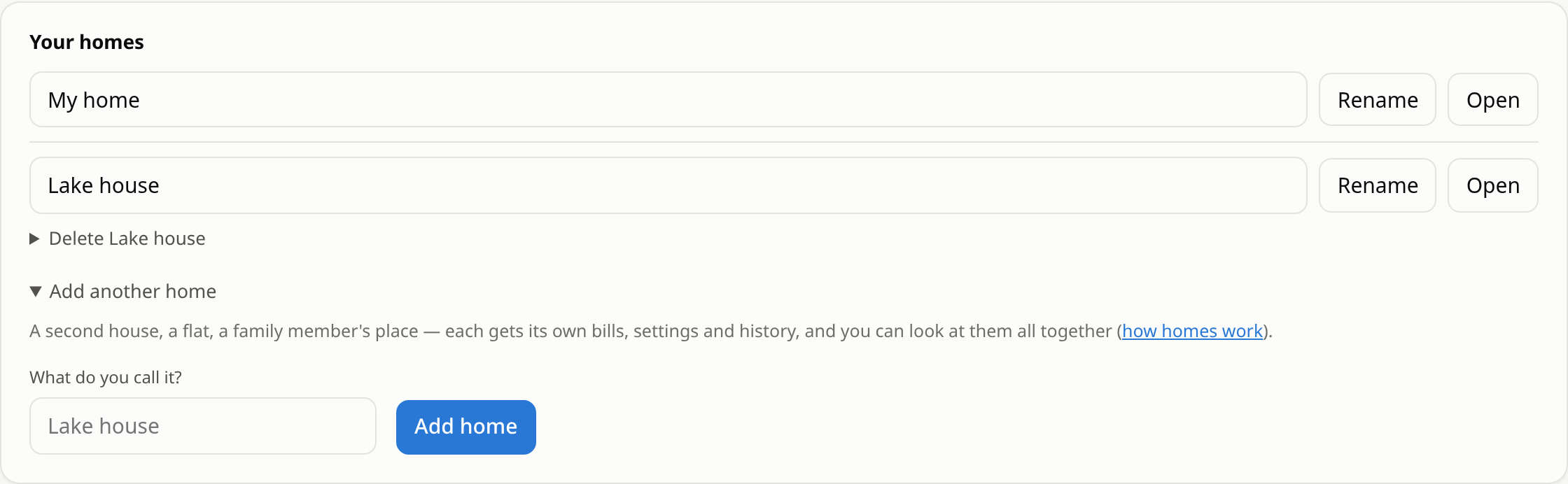
2. Moving between them
Once there are two, a home switcher appears at the top of every page, next to the
utility switcher. All homes is a page that adds them up: total spend, and each
home's cards side by side. Each home's pages live under its own address
(/home/lake-house/electric, say), so a bookmark to one home stays on that home.
Uploads and bills typed in go to whichever home's page you are on. The line at the top of Add bills says which home that is.
3. Bills that arrive by email
There is one bills address per account, not per home. A forwarded bill goes to the home that already has that utility account on file: the last digits of the account number in the email are matched against each home's bills. With one home there is nothing to decide.
A bill whose account matches no home yet, or more than one, is held rather than guessed at. A box appears at the top of Add bills: 1 bill waiting for a home. Choose the home and press File it; from then on that account is known and the next bill goes there by itself. Drop discards it (it will be held again if it arrives again).

4. Rename, delete, restore
- Rename changes the name everywhere. The address its pages live at stays as it was, so bookmarks keep working.
- Delete hides a home and its bills. Type the home's name to confirm. It can be restored for 30 days from the same card; after that it is gone for good.
- The first home cannot be deleted. Deleting the account deletes every home.