Outlook, step by step
- Outlook.com, or Microsoft 365, in a browser on a computer
- Meter Matters, the Add bills page
- About five minutes
Outlook forwards with a rule, and needs no confirmation of the address. One rule, then a test.
These steps are for Outlook on the web and the new Outlook app, which share the same settings. The classic Outlook desktop app runs its rules only while it is open, so make the rule on the web even if you read mail in the app.
Make the rule
- On Add bills, press Copy next to your bills address.
- In Outlook, press the gear at the top right. Choose Mail, then Rules.
- Press Add new rule. Name it, say Utility bills.
- Under Add a condition, choose From and paste your utility's sender address: the one next to the sender's name on a bill email.
- Under Add an action, choose Forward to and paste your bills address. Not Forward as attachment: the app reads the message itself.
- Press Save.
If gas and electric come from different senders, make a second rule the same way.
Send a test
A rule applies only to mail that arrives from now on. To see it work today, open a recent bill email, press Forward, put your bills address in To, and send. Within a minute or two, a Filed line appears under What has arrived on Add bills.
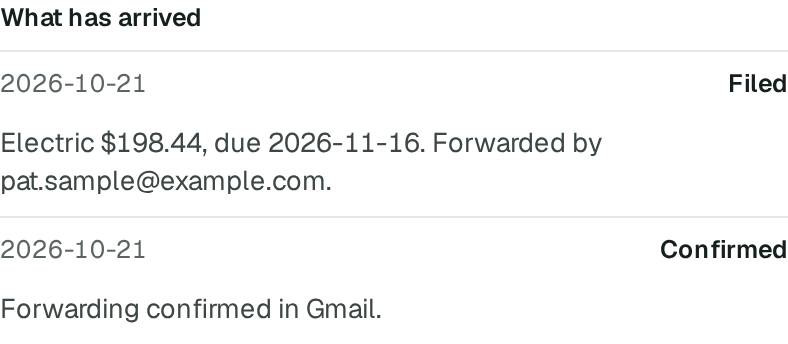
Send the test from the address you signed up with. A forward from any other address is not filed.
If something is off
| What you see | What to do |
|---|---|
| The rule saved, but no bill ever arrives | Rules apply to new mail only; send a test by hand. On a work or school Microsoft 365 account, the administrator may block forwarding outside the organisation. The rule saves but the mail never leaves. Ask them, or forward by hand. |
| The test says Forwarded by …, who isn't you | Forward from the address you signed up with. |
| The log says Couldn't read a bill out of it for something the rule sent | The rule's From must be the sender on the bill email exactly. Utilities use different addresses for bills, payments and offers. |
| I pressed Issue a new address | The old address stopped working. Change the rule's Forward to address to the new one. |
Anything else: the troubleshooting page.